This page explains how to send traces from PHP applications to Mackerel.
Overview
Mackerel collects traces using the OpenTelemetry mechanism (instrumentation). While there are various ways to collect OpenTelemetry-compatible traces, this page explains zero-code instrumentation, a method that allows you to send traces without modifying your application's implementation.
📝 Note
PHP zero-code instrumentation is implemented by executing observation functions before and after the execution of methods targeted for instrumentation in libraries, etc. For more details, see PHP zero-code instrumentation.
Requirements
According to the OpenTelemetry requirements, PHP must be the specified version or higher.
- PHP 8.0 or higher
Installation
To send traces from your application to Mackerel, do the following:
- Add the extension library (PECL)
- Install packages
- Set environment variables
1. Add the extension library (PECL)
Install the extension library for OpenTelemetry to PHP using PECL.
pecl install opentelemetry
Then, add the installed extension to php.ini.
[opentelemetry]
extension=opentelemetry.so
2. Install packages
Use composer to install the packages required to enable OpenTelemetry to your application.
composer require open-telemetry/api \
  open-telemetry/exporter-otlp \
  open-telemetry/opentelemetry-auto-http-async \
  open-telemetry/opentelemetry-auto-io \
  open-telemetry/opentelemetry-auto-laravel \
  open-telemetry/opentelemetry-auto-pdo \
  open-telemetry/opentelemetry-auto-psr3 \
  open-telemetry/opentelemetry-auto-psr15 \
  open-telemetry/opentelemetry-auto-psr18 \
  open-telemetry/sdk
open-telemetry/opentelemetry-auto-laravel is specific to Laravel. If you are using Slim, use open-telemetry/opentelemetry-auto-slim instead.
Available packages can be searched on the following page.
📝 Note
If there is no instrumentation library for your framework or application, you can implement manual instrumentation. For more details, see PHP zero-code instrumentation | How it works in the official OpenTelemetry documentation.
3. Set environment variables
After installing the package, set the environment variables to send traces to Mackerel. The following is an example of setting the variables using the .env file in a Laravel project.
OTEL_PHP_AUTOLOAD_ENABLED=true
OTEL_TRACES_EXPORTER=otlp
OTEL_SERVICE_NAME=my-sample-app
# To output to standard output
# OTEL_TRACES_EXPORTER=console
OTEL_EXPORTER_OTLP_PROTOCOL=http/protobuf
OTEL_EXPORTER_OTLP_TRACES_ENDPOINT=https://otlp-vaxila.mackerelio.com/v1/traces
OTEL_EXPORTER_OTLP_TRACES_HEADERS="Accept=*/*,Mackerel-Api-Key=${MACKEREL_APIKEY}"
OTEL_METRICS_EXPORTER=none
OTEL_LOGS_EXPORTER=none
OTEL_PROPAGATORS=baggage,tracecontext
- Setting
OTEL_TRACES_EXPORTERtoconsolewill output traces to standard output. OTEL_SERVICE_NAMEis the service name of the trace (the value of theservice.nameattribute).OTEL_EXPORTER_OTLP_TRACES_ENDPOINTspecifies the destination for sending traces.- To send directly to Mackerel, specify
https://otlp-vaxila.mackerelio.com/v1/traces. - To send via a Collector, specify
http://<Collector address:port>/v1/traces.
- To send directly to Mackerel, specify
${MACKEREL_APIKEY}specifies the Mackerel API key. Define an API key with Write permission from the API key list as an environment variable in the system where the application runs.- It will work if you write the API key directly instead of using an environment variable.
After setting the environment variables, traces will be sent when you start the application.
Viewing sent traces
Sent traces can be verified by following these steps:
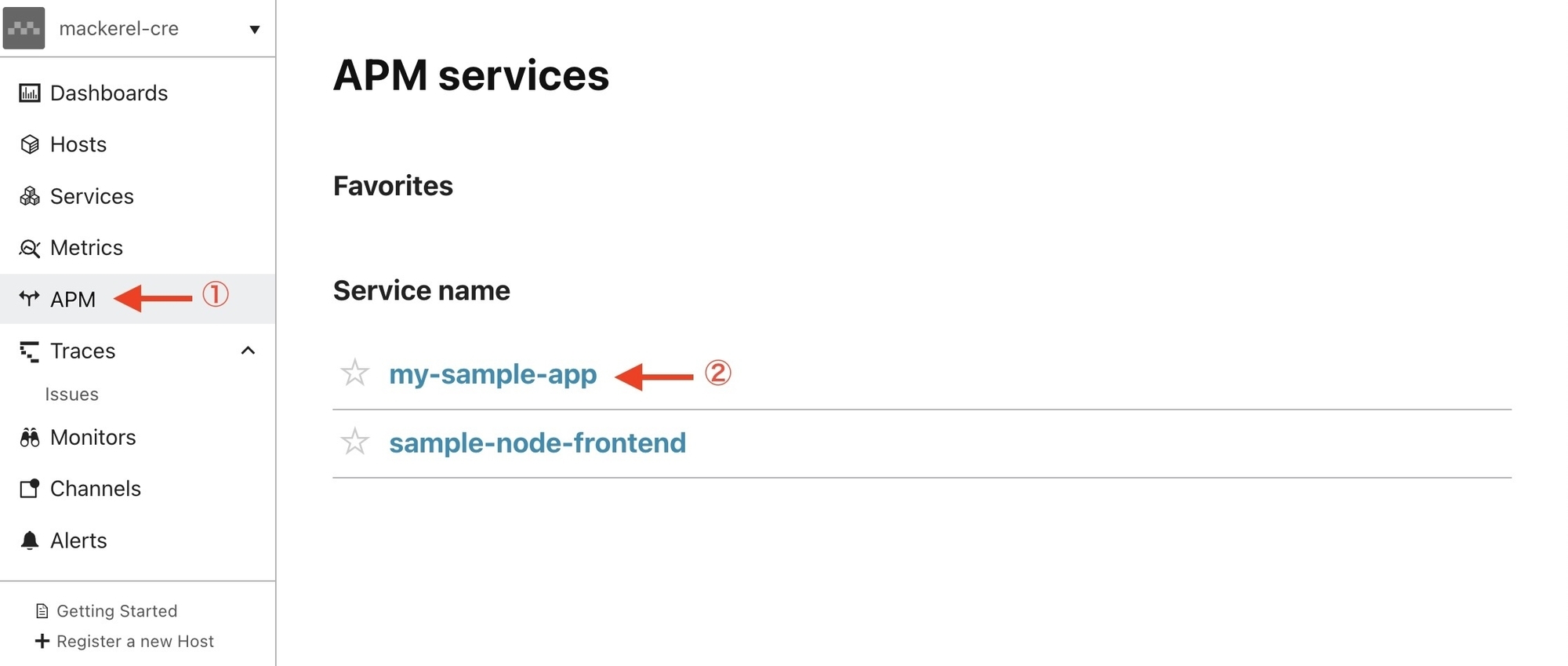
- Select "APM" from the menu
- Select the service name
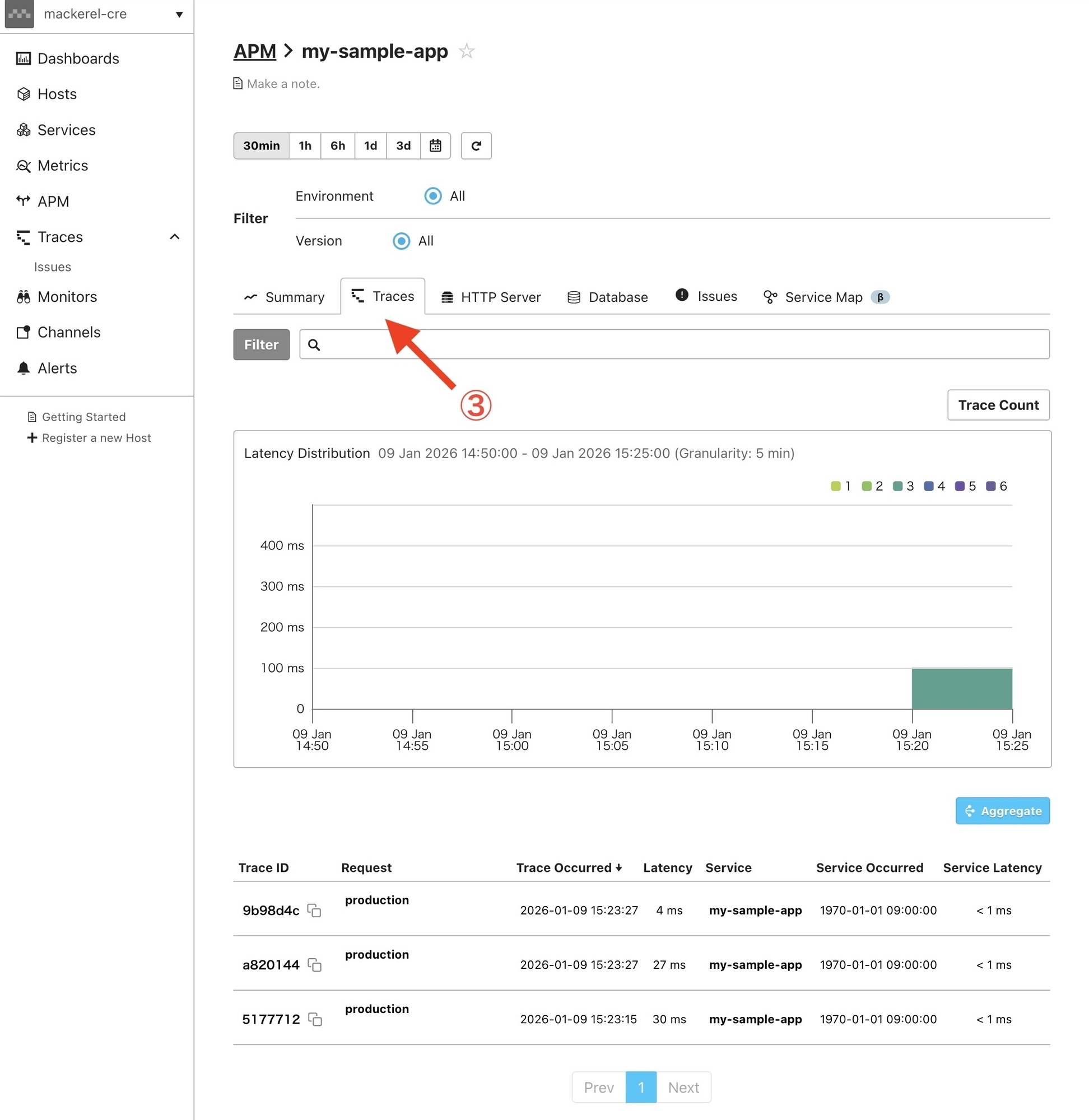
- Select the "Traces" tab
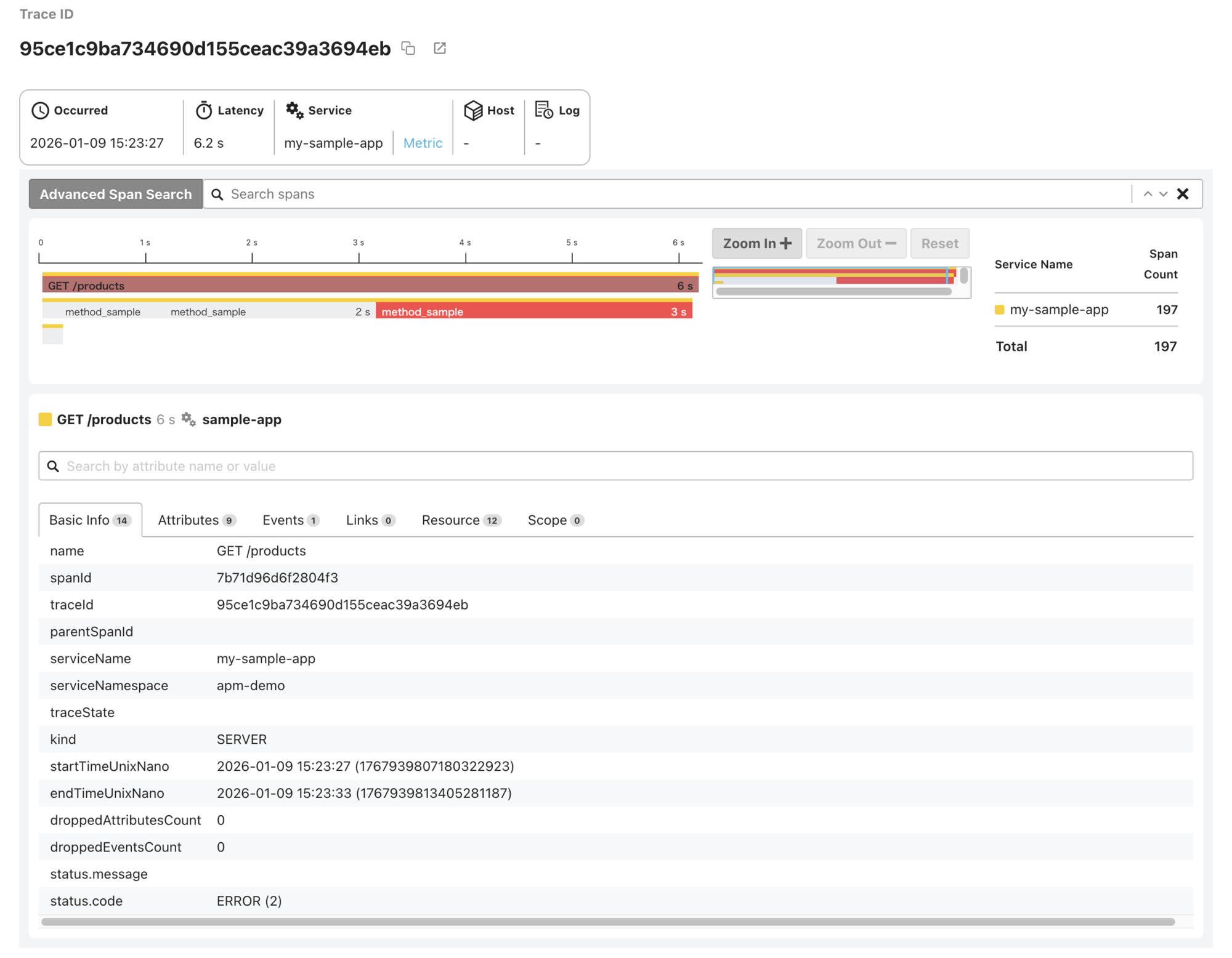
- Select a trace from the trace list to view its details
That’s a wrap on setting up zero-code instrumentation and sending traces of your PHP applications to Mackerel.
